Every video and song,saved to your phone.
QuickTube searches, plays and downloads from YouTube and 1,800+ other sites, in up to 4K. Free and open source, with no ads and no account.
v1.0.8 · 37.5 MB · Android 7.0+ · Windows · Linux · GPL-3.0 GitHub
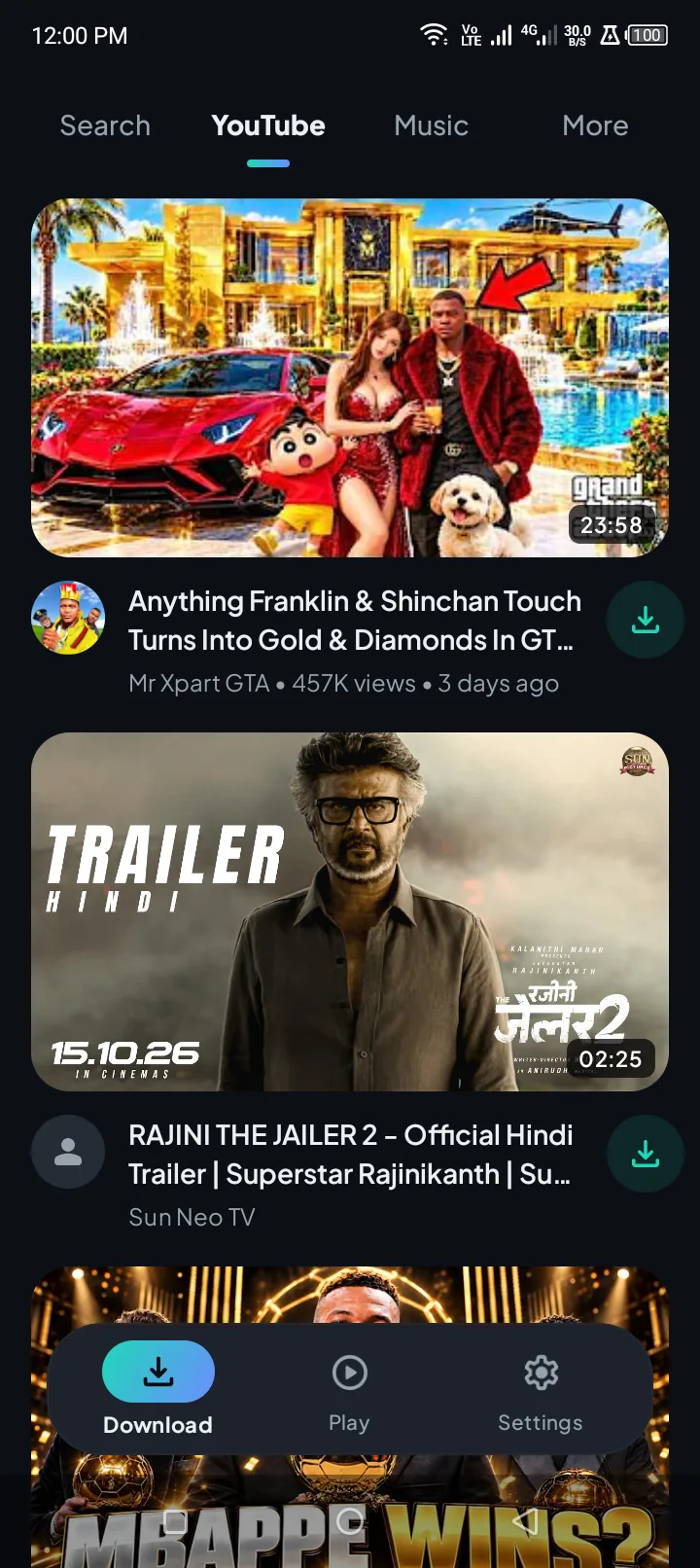
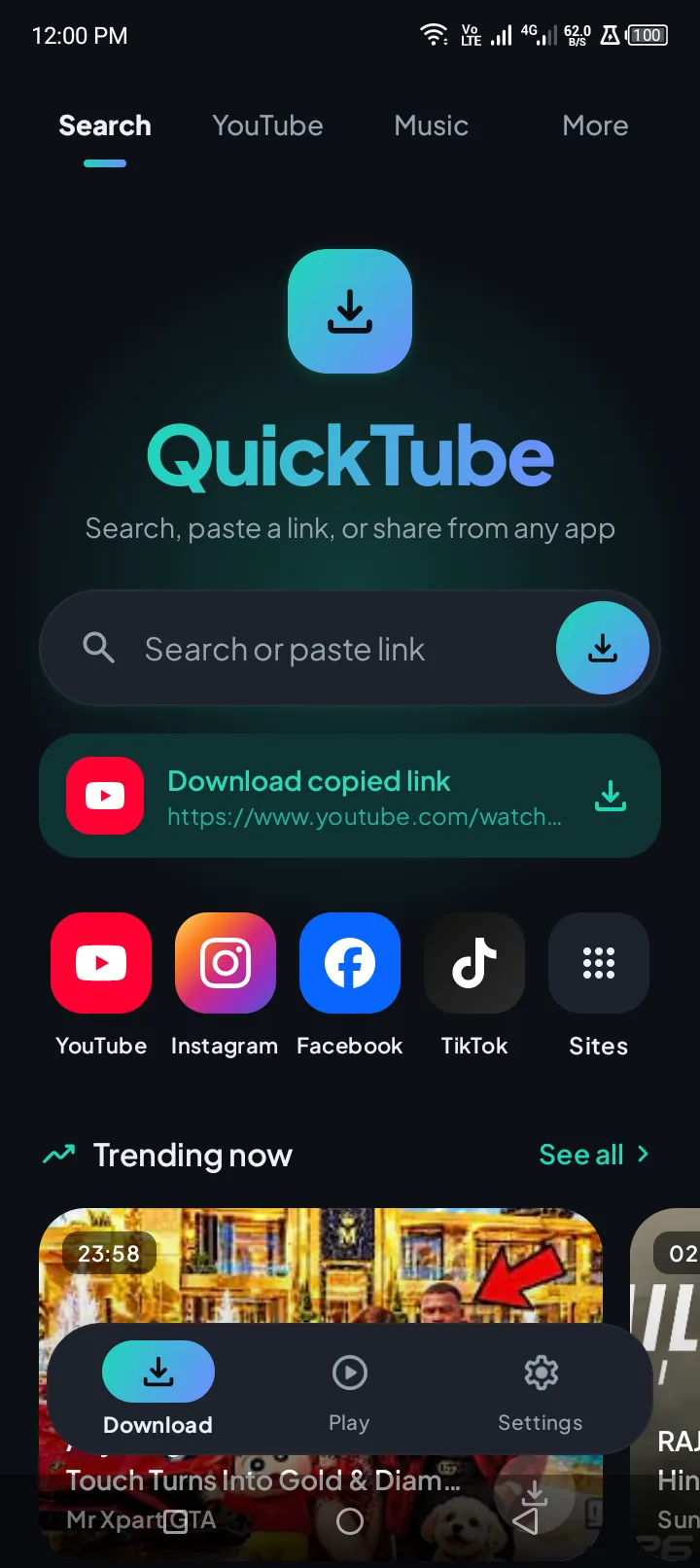
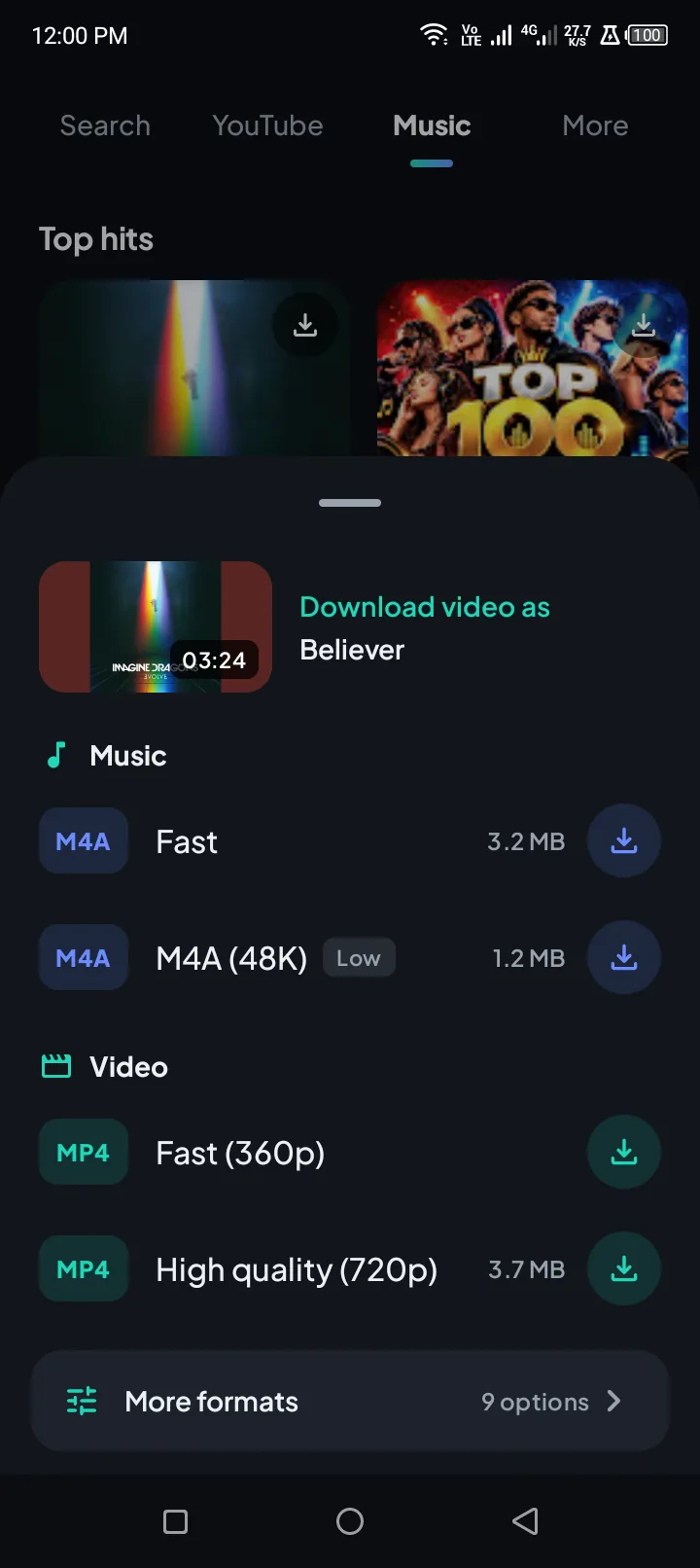
Works with YouTube and more than 1,800 other sites
- YouTube
- TikTok
- X
- Vimeo
- SoundCloud
- Twitch
- Dailymotion
- Bandcamp
1,800+
supported sites
yt-dlp engine, updated daily
4K
maximum quality
MP4 from 144p up
0
ads or accounts
nothing to sign up for
100%
open source
every line on GitHub
Features
A complete downloader. Without the clutter.
Everything you'd expect from a desktop download manager, built for a phone and kept out of your way.
Every format, every quality
MP4 from 144p to 4K, or audio only as M4A or Opus. Video-only streams are merged with their audio on the phone, without re-encoding.
Share to download
“Download with QuickTube” sits in every app's share sheet. Pick a format over YouTube, TikTok or Facebook; the download continues in the background.
A browser that finds the video
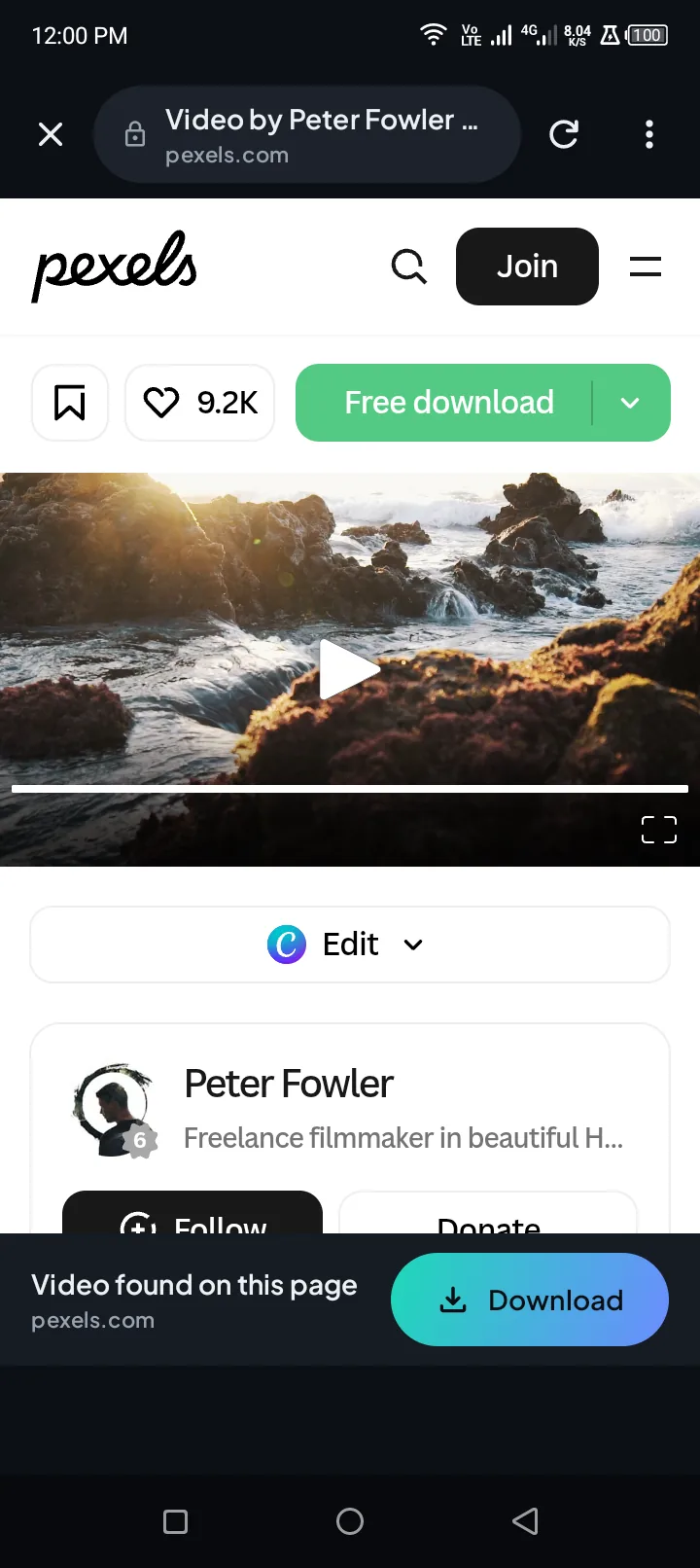
Open any site. When a page has a video, a Download bar appears with every quality it offers, HLS included.
A real download engine
Queue, pause, resume and retry, with resumable transfers, speed limits and Wi-Fi or mobile-data rules.
Built-in player
Playback speed, double-tap seek, a mini player, lock-screen controls and audio-only listening.
Vault and tools
A PIN-locked vault, a 30-day recycle bin, WhatsApp status saver and storage cleaners.
Updates itself
New versions are announced in the app. One tap downloads, verifies the checksum and signing key, and installs.
Private by design
No account and no servers of our own. Your downloads, history and vault never leave your phone.
Open source
Every line is public under the GPL-3.0, so anyone can read, build and verify what the app does.
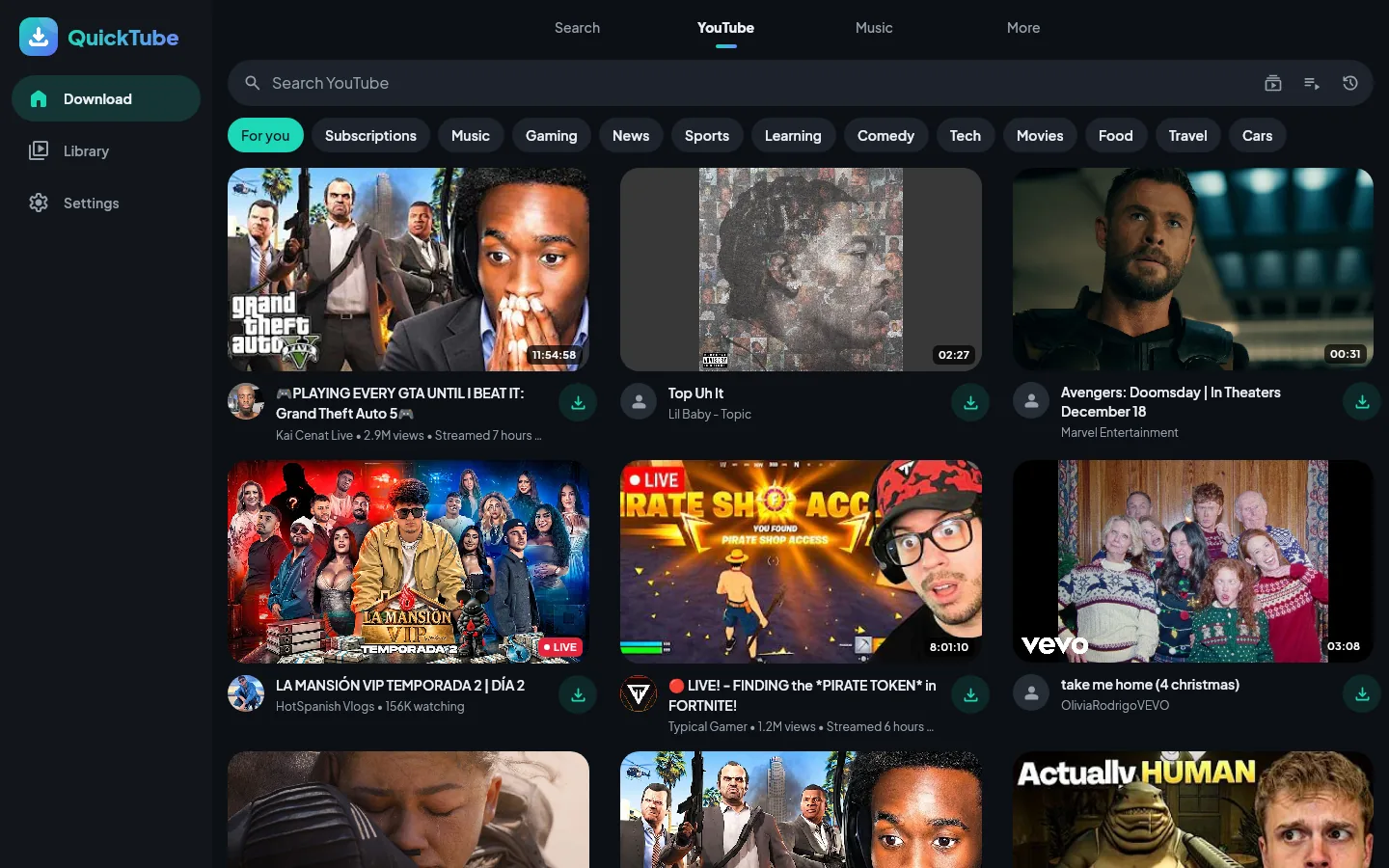
Desktop
Now on Windows and Linux. The same QuickTube, on a big screen.
Parallel downloads, bulk queues from a list of links, MP3 and FLAC, and keyboard shortcuts. Installers for Windows (.exe, .msi) and Linux (.deb, .rpm).
Tour
Six screens. That's the whole app.
01 / Start anywhere
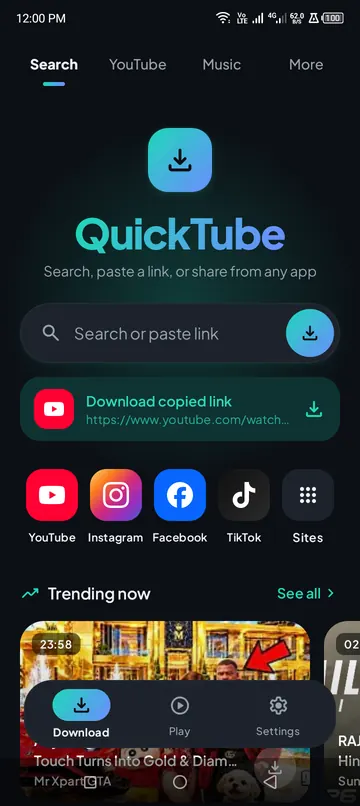
Search, paste or share.
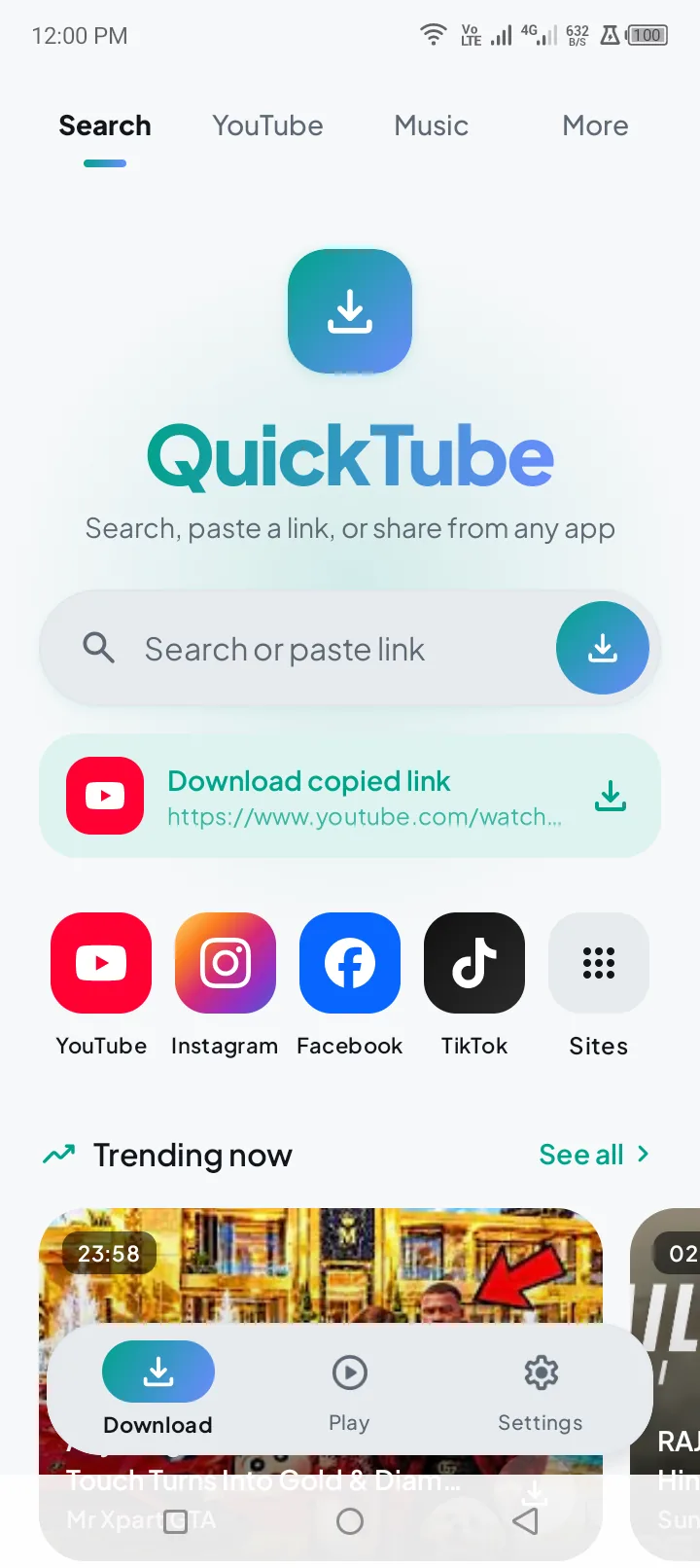
Type a search, paste a link, or share from any app. QuickTube spots a link you've copied and offers to download it straight away.
02 / Formats
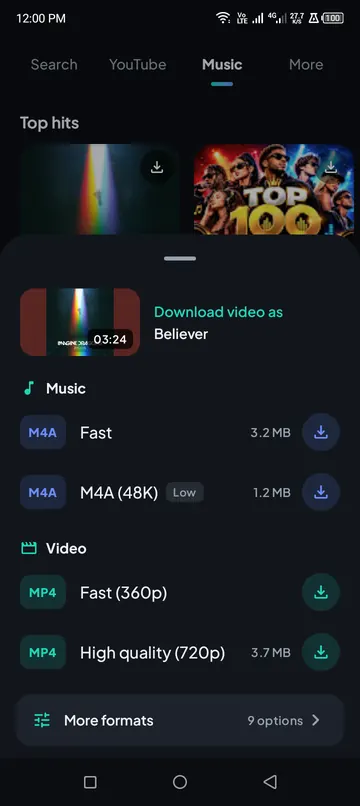
Every quality, up to 4K.
MP4 from 144p to 4K, or just the audio as M4A or Opus. Video-only streams are merged with their audio on the phone, without re-encoding.
03 / 1,800+ sites
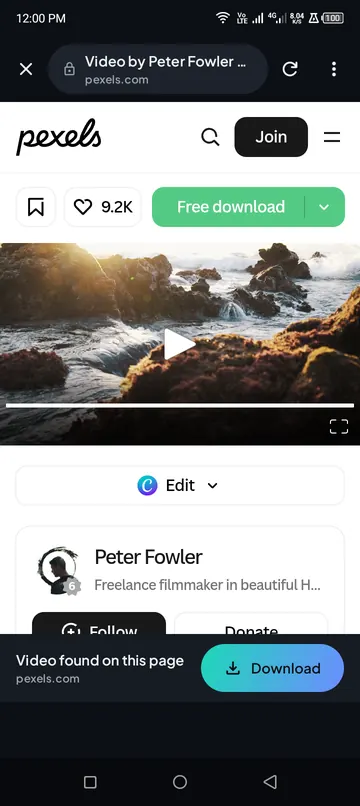
A browser that finds the video.
Open any site in the built-in browser. When a page has a video, a Download bar appears with every quality the page offers, HLS streams included.
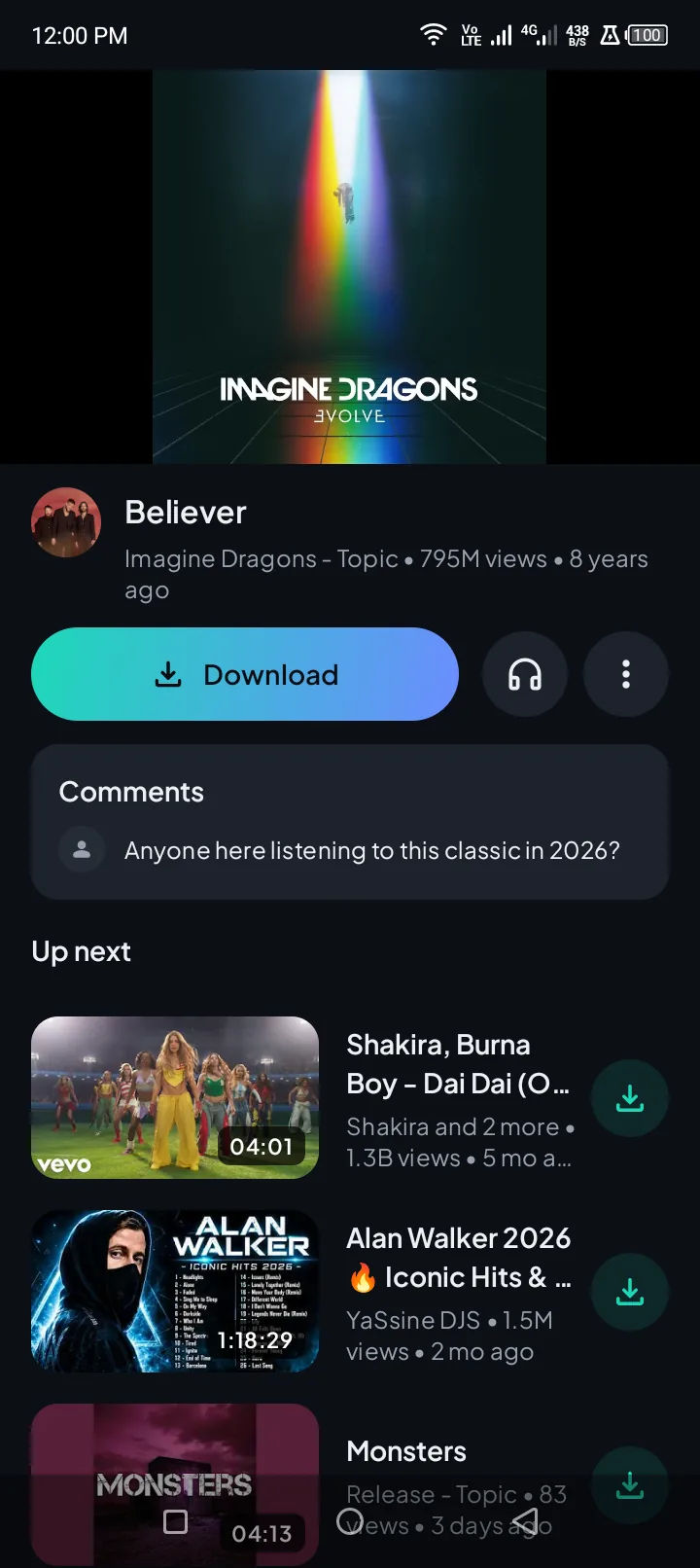
04 / Watch
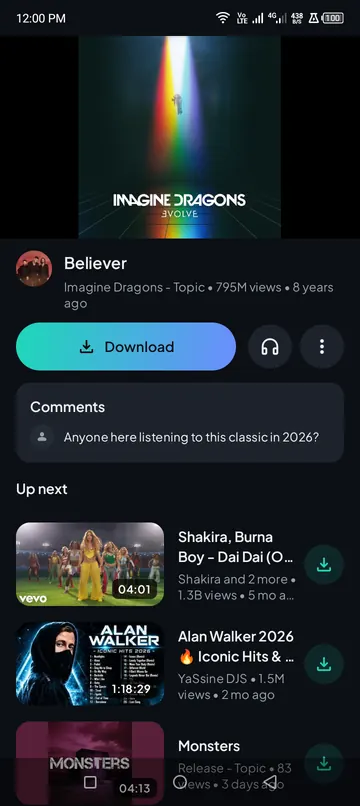
Watch before you download.
An inline HD player with comments and Up next, plus background play when you only want to listen.
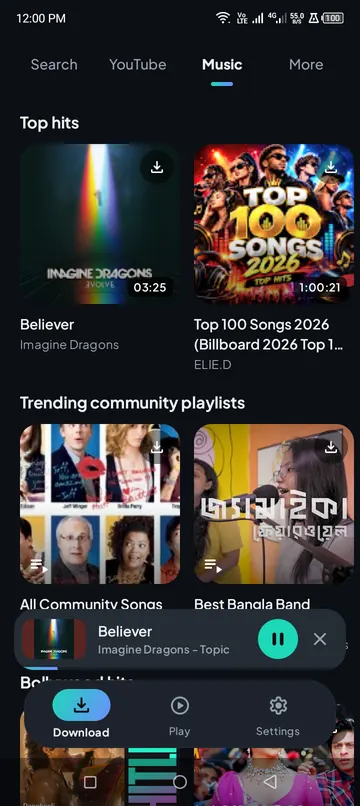
05 / Music
Music that keeps playing.
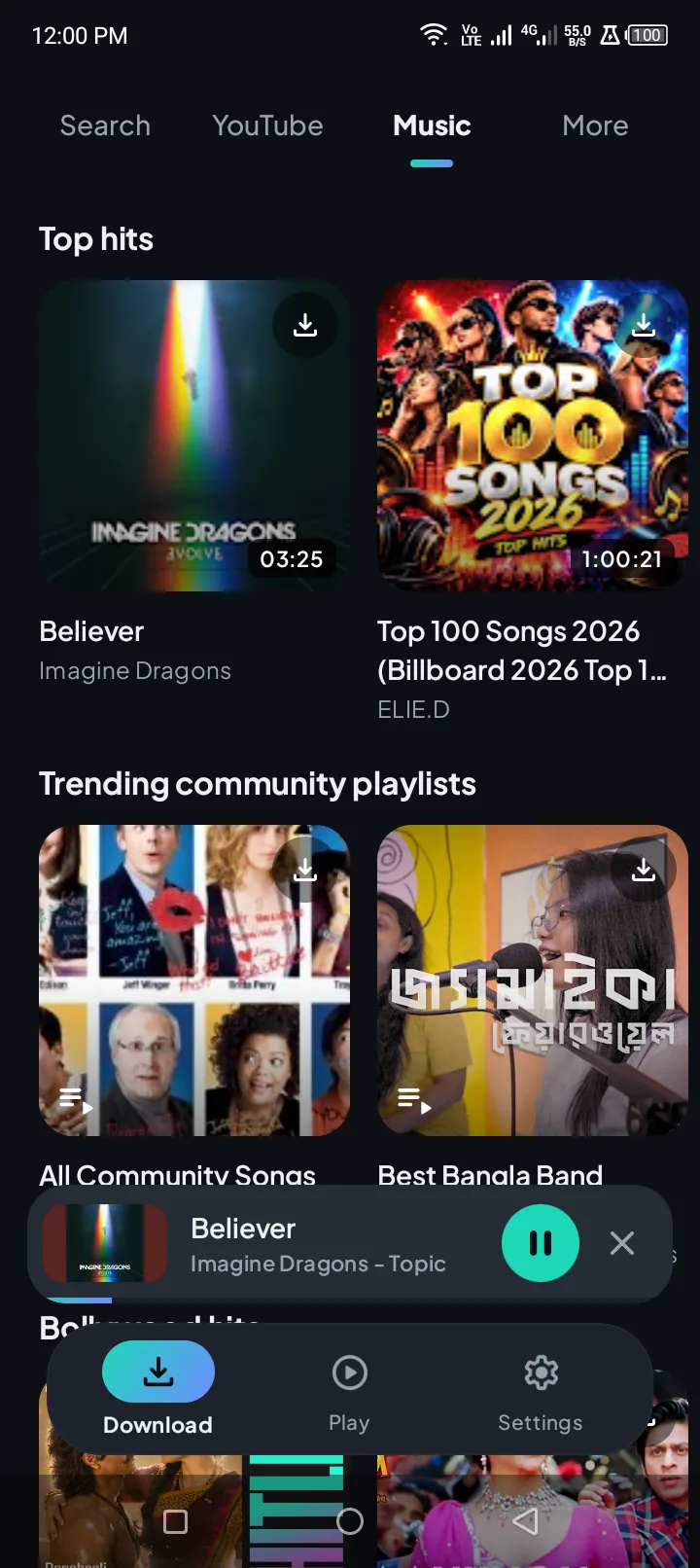
Trending songs and playlists, background playback, a mini player and lock-screen controls.
06 / Appearance
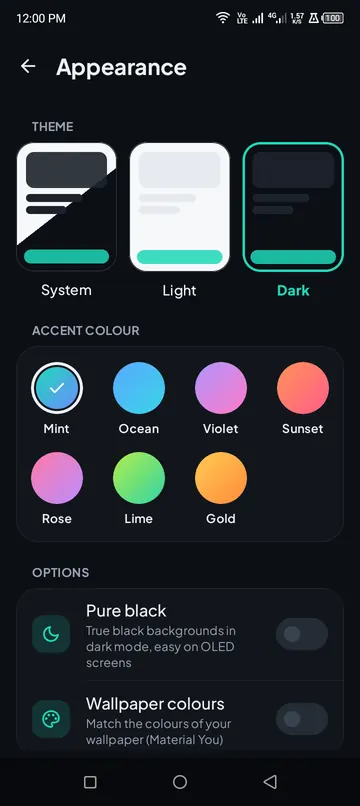
Make it yours.
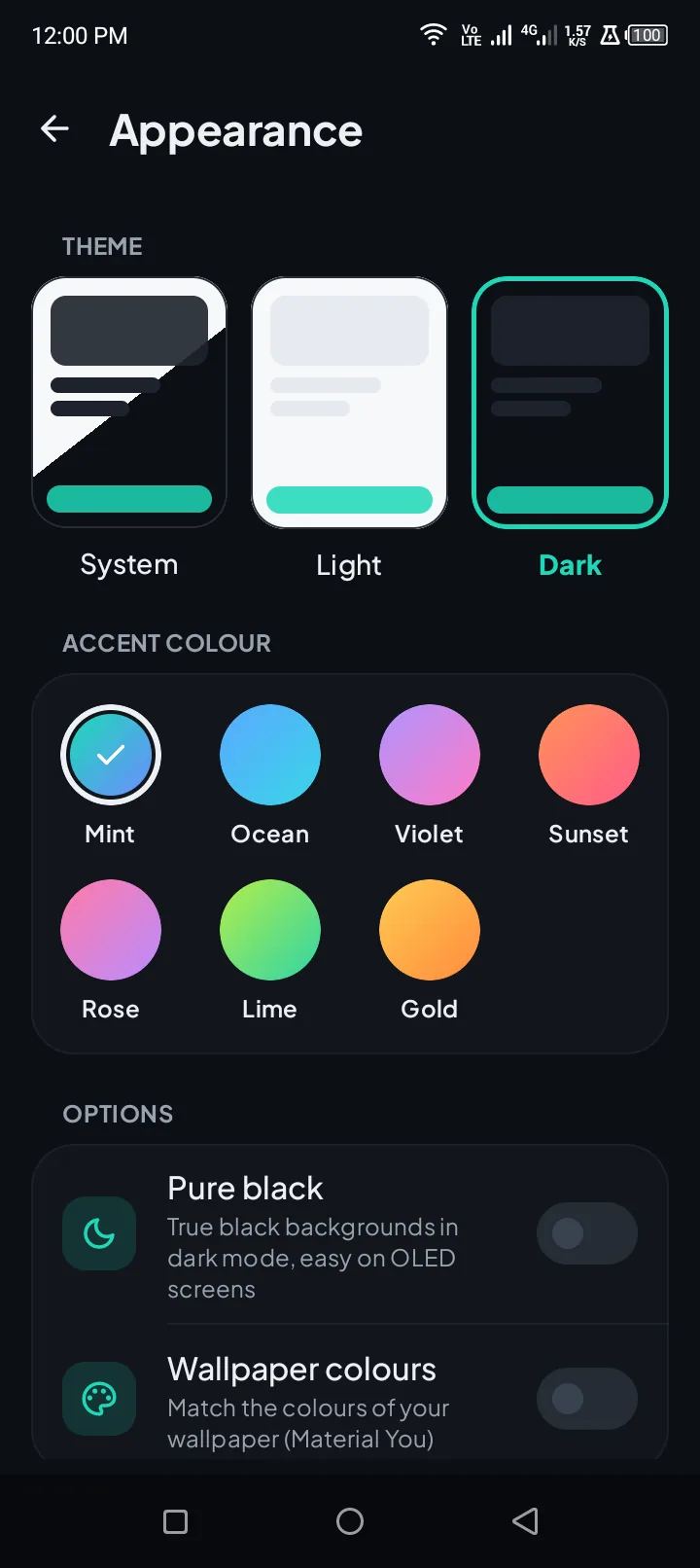
Light, dark or pure black, seven accent colours, and Material You wallpaper colours on Android 12 and newer.
Appearance
Light, dark or pure black.
QuickTube follows your system theme, or set it yourself. Seven accent colours, an AMOLED black mode, and Material You colours from your wallpaper on Android 12 and newer. Drag the divider to compare.
Install
Installed in under a minute.
QuickTube is distributed as a signed APK from its official GitHub releases. Updates install over the top and keep your downloads.
Download the APK
Tap Download. Your browser saves QuickTube-v1.0.8.apk to your phone; you stay on this page.
Allow the install
Open the file. If Android asks, allow “Install unknown apps” for your browser, then tap Install.
Open QuickTube
New versions show up inside the app, under Settings → Check for updates.
QuickTube for Android
Edu Reminder · Free
- Version
- v1.0.8
- Released
- Nov 10, 2026
- Size
- 37.5 MB
- Requires
- Android 7.0 or newer
- Licence
- GPL-3.0, open source
FAQ
Questions and answers.
Yes. QuickTube is free and open source under the GPL-3.0 licence, with no ads, no account and no subscription.
Google Play doesn't allow apps that download YouTube videos, so QuickTube is published as a signed APK from its official GitHub releases. Every release is signed with the same key, so updates install over the previous version.
The full source code is public, and every release ships with a SHA-256 checksum you can compare against the one on this page. Android shows a warning for any app installed from outside Play; that's expected.
QuickTube tells you inside the app when a new version is out, with its release notes. One tap downloads it, checks the SHA-256 and the signing key, and installs it.
Video as MP4 from 144p up to 4K, and audio as M4A (AAC) or Opus. Android has no built-in MP3 encoder, so there's no MP3 option, but both formats play everywhere MP3 does.
Official releases send crash reports and anonymous usage counts through Firebase, and you can turn both off in Settings → Privacy. QuickTube never sends the links you open, video titles, searches or file names.
Any phone or tablet running Android 7.0 or newer.
Yes. QuickTube for Windows (.exe, .msi) and Linux (.deb, .rpm) is on the desktop download page, with the same search, download sheet and bulk downloads on a big screen.